
Creating great content is no longer only about writing a strong script or producing attractive visuals. Audio has become an equally important part of the creator workflow.
A clear voiceover can make a YouTube video easier to follow. Background music can change the mood of a short video. Sound effects can make a simple scene feel more engaging. For podcasters, better audio quality can make the difference between an amateur recording and a professional-sounding show.
That is where AI audio tools come in.
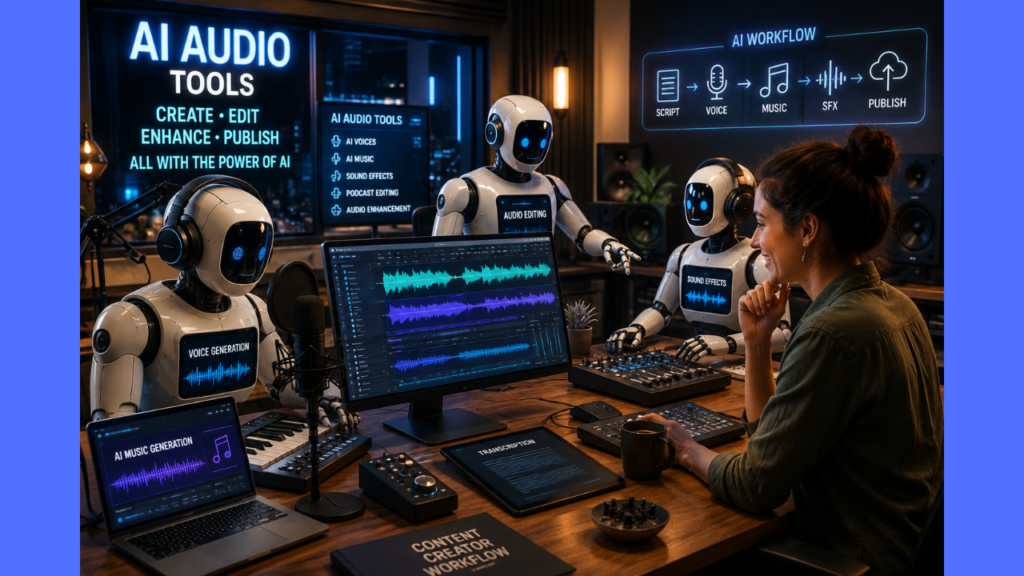
Modern AI audio platforms can help creators generate voices, compose music, create sound effects, clean recordings, edit podcasts, and prepare audio for publication.
Some platforms now combine several of these functions in a single workspace.
In this guide, we look at some of the best AI audio tools for content creators in 2026, what each tool does best, who should use it, and what to consider before choosing one.
What Are AI Audio Tools?
AI audio tools use artificial intelligence to generate, edit, enhance, or transform audio.
Depending on the platform, an AI audio tool may help you:
- Generate realistic voiceovers from text
- Create or clone voices
- Generate background music
- Create sound effects
- Remove background noise
- Improve spoken recordings
- Edit podcasts using transcripts
- Transcribe audio into text
- Dub or localize content
- Prepare audio for YouTube, TikTok, Instagram, podcasts, and other platforms
The best tool depends on the type of content you create.
A YouTube narrator may need a different solution from a podcaster, musician, or creator who mainly needs to clean up recordings.
Best AI Audio Tools: Quick Comparison
| Tool | Best For | Free Option | Main Strength |
|---|---|---|---|
| Adobe Firefly | Complete AI audio creation | Yes | Music, speech, and sound effects |
| ElevenLabs | AI voices and creator workflows | Yes | Natural voices and generative audio |
| Suno | AI music generation | Yes | Creating original music |
| Descript | Podcast and audio editing | Yes | Text-based editing |
| Adobe Podcast | Cleaning spoken audio | Yes | AI voice enhancement |
| Murf | Professional voiceovers | Limited | Business and creator voiceovers |
| Auphonic | Audio post-production | Yes | Automatic audio processing |
| Udio | AI music experimentation | Trial available | Generative music |
1. Adobe Firefly
Best for: All-in-one AI audio creation
Adobe Firefly has become one of the most interesting options for creators because its audio capabilities now cover several important parts of the production workflow.
In August 2026, Adobe announced the general availability of Firefly’s audio tools, including Generate Music, Generate Speech, and Generate Sound Effects. Adobe specifically highlights use cases such as social content, vlogs, tutorials, podcasts, and other creative projects.
Firefly’s Generate Music feature can create original tracks designed around the length and mood of a video, while Generate Speech can turn a script into narration. Generate Sound Effects can create custom sounds based on the action and timing of a project.
This makes Firefly particularly useful for creators who do not want to use a separate platform for every audio task.
What can you use Firefly for?
Creators can use Firefly to generate:
- Background music
- Spoken audio
- Sound effects
- Audio for short-form videos
- Podcast audio
- Creative sound design
Who should use Adobe Firefly?
Firefly is a strong choice for YouTubers, social media creators, video editors, and marketers who need several types of audio during the same project.
Best feature: Multiple AI audio capabilities in one creative environment.
Potential limitation: Creators looking primarily for advanced voice-cloning features may prefer a specialized platform such as ElevenLabs.
2. ElevenLabs
Best for: AI voices and creator audio workflows
ElevenLabs is one of the strongest options for creators who need realistic AI-generated speech.
The platform provides text-to-speech, speech-to-text, voice cloning, conversational AI, music, sound effects, and other generative audio capabilities. Its ElevenCreative platform is designed to help creators generate, edit, and localize content.
ElevenLabs currently offers a free plan with 10,000 characters per month for text-to-speech. The company says free-plan content does not include a commercial license, while eligible paid plans include commercial rights subject to the applicable terms.
What can creators use ElevenLabs for?
Potential uses include:
- YouTube narration
- Educational videos
- Explainer videos
- Podcasts
- Audiobooks
- Social media content
- Multilingual content
- Voiceovers
Who should use ElevenLabs?
ElevenLabs is particularly attractive to YouTubers, podcasters, audiobook producers, and creators producing content in multiple languages.
Best feature: High-quality AI voices.
Potential limitation: Larger projects can consume credits quickly, and creators using the free plan need to pay attention to its commercial-use restrictions.
Related guide: If your main goal is voice generation, see our guide to AI Voice Generator.
3. Suno
Best for: AI-generated music
Suno is focused primarily on AI music creation.
Creators can use it to generate complete musical tracks from prompts, making it useful for background music, creative projects, social media content, and other applications.
Suno offers a free plan, while paid plans provide commercial-use rights for eligible music created while subscribed.
What can creators make with Suno?
Potential uses include:
- YouTube background music
- Intro and outro music
- Podcast themes
- Short-form video music
- Experimental tracks
- Mood-based background music
- Original songs
However, creators need to understand the distinction between free use and commercial use.
Suno’s terms and product rules are also changing in September 2026, including changes related to downloads and its Terms of Service.
For that reason, creators should check Suno’s current terms before relying on the platform for a commercial workflow.
Who should use Suno?
Suno is a strong option for creators who want original music without traditional music-production skills.
Best feature: Fast AI music generation.
Potential limitation: Commercial-use and download rules need to be checked carefully.
4. Descript
Best for: Podcast and audio editing
Descript takes a different approach to AI audio.
Instead of treating audio editing as a traditional waveform-based process, Descript transcribes recordings and allows creators to edit content by editing the text.
This can make podcast and video editing much easier for people who prefer working with written content.
What can you do with Descript?
Creators can use Descript for:
- Podcast editing
- Video editing
- Transcription
- Captions
- Removing filler words
- Audio cleanup
- Content repurposing
Who should use Descript?
It is particularly useful for podcasters, YouTubers, educators, interview creators, and anyone who regularly edits spoken content.
Best feature: Editing audio and video by editing text.
Potential limitation: Music creators looking for dedicated AI music generation will need another platform.
5. Adobe Podcast
Best for: Improving spoken recordings
Not every creator needs to generate audio from scratch.
Sometimes the recording already exists — it just does not sound very good.
Adobe Podcast is designed for exactly that situation.
Its Enhance Speech feature uses AI to improve spoken recordings and make them sound more like they were recorded in a professional environment.
Who should use Adobe Podcast?
It is particularly useful for:
- Podcasters
- YouTubers
- Interview creators
- Online educators
- Voiceover creators
- People recording with inexpensive microphones
If you already have a recording but the room is noisy or the microphone quality is poor, Adobe Podcast can be more useful than generating a completely new voice.
Best feature: Fast AI enhancement of spoken audio.
Potential limitation: It focuses more on recording and enhancement than on generating complete music.
6. Murf
Best for: Professional AI voiceovers
Murf is another strong option for creators who primarily need AI voiceovers.
It focuses on text-to-speech and voice production for videos, presentations, e-learning, marketing, and other professional content.
Who should use Murf?
Murf is particularly suitable for:
- YouTube narration
- Training videos
- Explainer videos
- Marketing videos
- Presentations
- Professional voiceovers
Best feature: Professional-oriented voiceover production.
Potential limitation: It is not primarily an AI music or sound-effects platform.
Related guide: For a broader look at AI voice generation, see our AI Voice Generator guide.
7. Auphonic
Best for: Automated audio post-production
Auphonic is less about creating audio and more about making existing audio sound better.
It provides automated audio processing for tasks such as leveling and noise reduction, making it particularly useful for podcasts, interviews, voice recordings, and other spoken content.
Who should use Auphonic?
Auphonic is especially useful for:
- Podcasters
- Interview creators
- Spoken-word channels
- Audiobook workflows
- Creators processing multiple recordings
Best feature: Automated audio post-production.
Potential limitation: It is not designed to replace an AI music or voice-generation platform.
8. Udio
Best for: AI music experimentation
Udio is another platform focused on AI music generation.
It allows creators to experiment with musical ideas and generate tracks without traditional music-production skills.
Who should use Udio?
It can be useful for creators who want to:
- Experiment with music concepts
- Create background tracks
- Explore musical styles
- Prototype ideas quickly
Best feature: Creative AI music experimentation.
Potential limitation: Creators should review Udio’s current terms before using generated music commercially.
Which AI Audio Tool Is Best for You?
There is no single best AI audio tool for every creator.
The right choice depends on what you are trying to produce.
Best AI Audio Tool for YouTube Creators
Adobe Firefly is a strong all-around option because it covers music, speech, and sound effects.
ElevenLabs is particularly attractive when narration and voice quality are the main priorities.
Best AI Audio Tool for Faceless Videos
ElevenLabs is a strong choice for narration, while Adobe Firefly can provide additional music and sound effects.
Creators producing documentary-style faceless content may also benefit from dedicated AI voice workflows.
Related guide: See our article on Best AI Voice Tools for Faceless Documentary YouTube Channels.
Best AI Audio Tool for Podcasts
Descript is particularly useful when editing and transcription are central to the workflow.
Adobe Podcast and Auphonic are excellent additions when the main concern is improving recording quality.
Best AI Audio Tool for AI Music
Suno is one of the strongest choices for creators who want to generate complete musical tracks.
Udio is another option for experimentation and music creation.
Best AI Audio Tool for Voiceovers
ElevenLabs and Murf are strong choices for AI voiceovers.
The best option depends on the voices, languages, workflow, and licensing requirements of your project.
Best AI Audio Tool for Cleaning Recordings
Adobe Podcast is one of the easiest choices for improving spoken recordings.
Auphonic is particularly useful when you want automated post-production and leveling.
Best Free AI Audio Tool
There is no single winner because free limits differ by task.
For example:
- ElevenLabs: Free text-to-speech usage with 10,000 characters per month.
- Descript: Free plan available with limited media and AI usage.
- Auphonic: Free audio-processing allowance available.
- Adobe Podcast: Free AI speech enhancement.
- Suno: Free music generation, with restrictions on commercial use.
The best free option depends on whether you need voices, music, editing, or audio enhancement.
Are AI Audio Tools Safe for Commercial Use?
This is one of the most important questions creators should ask before choosing an AI audio platform.
The answer is not necessarily the same for every tool.
Some platforms provide commercial-use rights under particular paid plans. Others have different rules for free users, generated content, or material created before upgrading.
Suno, for example, has specific rules governing commercial use and is also introducing changes to its Terms of Service and download system in September 2026.
ElevenLabs states that its free plan does not include a commercial license, while eligible paid plans provide commercial rights subject to its terms.
Adobe says its newly generally available Firefly audio generation features are designed to provide commercially safe AI-generated music, speech, and sound effects.
Before publishing AI-generated audio in monetized content, check:
- Whether your current plan allows commercial use.
- Whether the license applies to content created on a free plan.
- Whether rights change after canceling a subscription.
- Whether generated content can be used for advertising or client work.
- Whether additional copyright restrictions apply.
The provider’s current terms should always be treated as the final authority.
How to Build an AI Audio Workflow
You do not necessarily need one platform to handle everything.
Audio is only one part of the production process. See how AI can also simplify video production for small YouTube channels in our guide to [AI Video Workflows for Small YouTube Creators].
A creator can combine several specialized tools.
Step 1: Write the script
Create and refine your script before generating the audio.
Step 2: Generate the voice
Use ElevenLabs or Murf for narration.
Step 3: Create music
Use Suno or Udio when the project needs an AI-generated music track.
Step 4: Add sound effects
Use Adobe Firefly when the project needs custom sound effects.
Step 5: Clean the recording
Use Adobe Podcast or Auphonic when spoken audio needs enhancement.
Step 6: Edit the final project
Use Descript when transcript-based editing can make the workflow faster.
This approach lets creators choose each tool according to what it does best rather than forcing every project into a single platform.
Final Verdict
AI audio tools have evolved far beyond simple text-to-speech.
Today, creators can use AI to generate voices, music, sound effects, podcasts, and other audio elements while also automating traditionally time-consuming editing and post-production tasks.
For an all-around workflow, Adobe Firefly stands out because it now combines AI-generated music, speech, and sound effects in one creative environment.
For realistic AI voices and broader creator workflows, ElevenLabs is one of the strongest choices.
For music generation, Suno deserves serious consideration, particularly for creators who understand the difference between free and commercial-use licensing.
For editing, Descript offers an unusually accessible text-based approach.
And for creators who already have recordings but need better quality, Adobe Podcast and Auphonic can be extremely useful.
The best approach is therefore not to ask:
“Which AI audio tool is the best?”
Instead, ask:
“What part of my content workflow do I want AI to improve?”
Once you answer that question, choosing the right AI audio tool becomes much easier.
Frequently Asked Questions
What are AI audio tools?
AI audio tools use artificial intelligence to generate, edit, enhance, transcribe, or transform audio. Depending on the platform, they can create voices, music, sound effects, podcasts, and other audio content.
What is the best AI audio tool for content creators?
There is no single best tool for every creator. Adobe Firefly is a strong all-around option, ElevenLabs is particularly strong for AI voices, Suno is focused on music generation, and Descript is useful for editing spoken content.
Can I use AI-generated audio on YouTube?
Yes, but the answer depends on the platform and the specific content. Creators should check the tool’s current commercial-use and licensing terms before using AI-generated audio in monetized videos.
Are free AI audio tools available?
Yes. Several platforms offer free plans or free usage. However, free plans often have limits on credits, processing time, exports, features, or commercial rights.
Can AI create music and sound effects?
Yes. Modern AI audio platforms can generate both music and sound effects. Adobe Firefly, for example, now offers dedicated AI tools for generating music and sound effects.

ForgeCreatorAI Team writes about AI tools, content creation, digital workflows, and productivity systems for modern creators. Our goal is to simplify AI technology and help creators work smarter through practical tools and automation.