
AI subtitles for educational videos are becoming one of the simplest ways creators improve accessibility and viewer engagement.
A creator may spend hours researching information, organizing examples, writing scripts, and preparing explanations.
The lesson itself may be valuable.
The information may be accurate.
The presentation may be clear.
Yet many viewers leave within the first few seconds.
One reason is surprisingly simple.
They struggle to follow the content.
Today, audiences consume educational videos in a wide variety of environments. Some watch during commutes. Others learn while working, exercising, traveling, or sitting in public places where audio is not always practical.
This is one reason AI subtitle tools are becoming increasingly popular among educational video creators.
The goal is rarely to make videos look more professional.
Instead, subtitles help viewers stay engaged, understand information more easily, and continue learning regardless of where they are watching.
Why Educational Content Depends on Clarity
Educational creators face a unique challenge.
Unlike entertainment content, learning videos often introduce new ideas, unfamiliar concepts, and technical information.
Viewers may encounter:
Scientific terms
Historical dates
Financial concepts
Language-learning exercises
Software tutorials
Academic subjects
Professional training material
When information moves too quickly, viewers can easily become lost.
Subtitles help reinforce understanding by allowing viewers to both hear and read important information at the same time.
For many educational creators, this improves the overall learning experience without requiring additional production work.
Many Viewers Learn With the Sound Off
One common misconception is that subtitles exist primarily for accessibility.
While accessibility remains extremely important, modern viewing habits have expanded their role significantly.
Many viewers now watch videos:
In public spaces
At work
During travel
Late at night
Inside classrooms
In shared environments
In these situations, audio may be unavailable or inconvenient.
Subtitles allow viewers to continue consuming content without interruption.
For educational creators, this means lessons remain useful even when sound is unavailable.
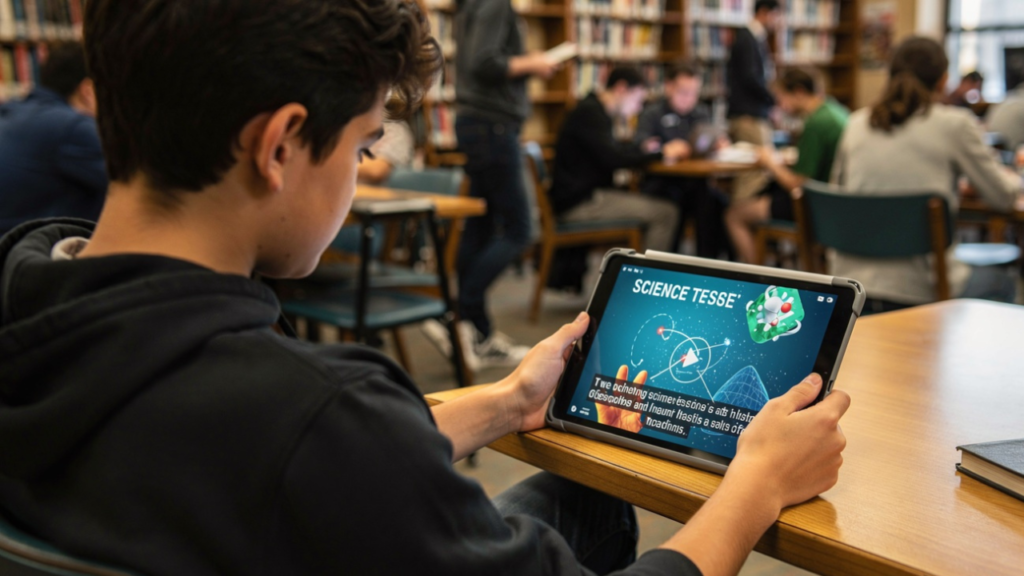
The Hidden Work Behind Educational Video Production
Most viewers only see the finished lesson.
They rarely see the preparation process behind it.
A typical educational creator may spend time:
Researching information
Verifying facts
Writing scripts
Creating examples
Designing slides
Recording narration
Editing videos
Building visual aids
Planning future lessons
Managing content libraries
As channels grow, these responsibilities increase.
Many creators discover that organization becomes just as important as teaching.
Related: Strong content planning systems help educational creators stay consistent. See how creators organize publishing workflows with AI content planning tools.
How Educational Video Creators Use AI Subtitles More Efficiently
Adding subtitles manually can be surprisingly time-consuming.
A creator producing multiple videos each week may spend hours transcribing content, adjusting timing, and correcting errors.
AI subtitle platforms help simplify this process.
Many tools can:
Generate captions automatically
Synchronize subtitle timing
Support multiple languages
Identify speakers
Export subtitle files
Improve editing workflows
Instead of manually creating every subtitle line, creators can focus more attention on teaching and lesson development.
The educational value still comes from the creator.
The AI simply reduces repetitive production work.
Related: Educational creators are also using AI avatars to simplify video production workflows. Explore our guide about AI avatar tools for educational YouTube channels.
CapCut
CapCut has become one of the most popular subtitle tools among creators.
Many educational YouTubers use it because subtitles can be generated directly inside the editing workflow.
The platform is particularly useful for:
Educational Shorts
Tutorial videos
Explainer content
Mobile editing workflows
Its simplicity makes it accessible even for creators with limited editing experience.
VEED
VEED combines video editing and subtitle generation inside a browser-based platform.
Educational creators often use it for:
Online lessons
Training content
Course materials
Instructional videos
Because everything operates inside a single workspace, production can become easier to manage.
Descript
Descript approaches video editing differently.
Instead of editing directly on a timeline, creators can edit videos by editing text.
This makes subtitle creation especially useful for educational content where accuracy and clarity matter.
Many creators use Descript for:
Lecture-style videos
Interviews
Educational podcasts
Long-form lessons
Submagic
Submagic has become increasingly popular among creators producing short-form educational content.
Its subtitle styles are designed to improve readability and maintain viewer attention.
Many creators use it for:
YouTube Shorts
Instagram Reels
TikTok educational videos
Quick learning content
Captions
Captions focuses heavily on AI-assisted video production.
Subtitle generation remains one of its strongest features.
Educational creators often appreciate its ability to streamline multiple parts of the production process within a single platform.

Accessibility Is Becoming More Important
Educational content serves diverse audiences.
Some viewers may have hearing impairments.
Others may speak English as a second language.
Some simply learn more effectively when information appears visually.
Subtitles help support all of these situations.
For educational creators, accessibility is often not just a technical feature.
It becomes part of the teaching process itself.
Making information easier to understand allows lessons to reach a broader audience.
The Biggest Mistakes Creators Make With AI Subtitles
Although subtitle tools save time, creators still need to review results carefully.
Common mistakes include:
Ignoring Errors
Automatic systems occasionally misunderstand words, especially technical terms.
Using Excessive Text
Large blocks of text can overwhelm viewers.
Good subtitles remain easy to read.
Failing to Review Timing
Even accurate subtitles become distracting when timing feels unnatural.
Overlooking Educational Terminology
Specialized vocabulary often requires manual verification.
Creators who review subtitles before publishing usually achieve better results.
Human Teaching Still Matters Most
AI subtitle tools can improve production efficiency.
They can improve accessibility.
They can make lessons easier to follow.
What they cannot replace is teaching ability.
Successful educational creators still depend on:
Subject expertise
Clear explanations
Practical examples
Logical lesson structure
Audience understanding
Viewers rarely subscribe because subtitles are perfect.
They subscribe because the creator helps them learn something valuable.
Technology can support the learning experience.
The educator remains the reason the lesson works.
Educational Content Is Becoming More Accessible Than Ever
The growth of AI tools is helping educational creators remove many of the production barriers that once slowed content creation.
Subtitles can now be generated in minutes rather than hours.
Lessons can reach audiences across multiple languages.
Related: Educational creators are not the only ones improving workflows with AI. Learn how homeschool content creators use AI writing tools to publish educational content more efficiently.
Educational videos can remain accessible in environments where audio is unavailable.
Similar workflow improvements are already transforming other educational content formats, including AI avatar presentations for educational YouTube channels and learning-focused blogging systems used by homeschool creators.
As these tools continue evolving, creators will likely spend less time on repetitive production tasks and more time focusing on what matters most.
Creating lessons that help people understand something they did not know before.
Related: Productivity systems play a major role in creator success. Explore our guide about productivity apps for solo creators.
And for educational creators, that remains one of the most valuable outcomes any video can achieve.

ForgeCreatorAI Team writes about AI tools, content creation, digital workflows, and productivity systems for modern creators. Our goal is to simplify AI technology and help creators work smarter through practical tools and automation.