
AI video workflows are becoming increasingly important for small YouTube creators who want to produce content consistently without building large teams.
Many creators begin alone.
They handle research.
Writing.
Recording.
Editing.
Thumbnail design.
Publishing.
Analytics.
Audience engagement.
As channels grow, the workload often becomes difficult to manage manually.
This is one reason many creators are building AI-assisted workflows that help simplify production while maintaining content quality.
The goal is not to automate creativity.
The goal is to automate repetitive tasks.
Why Small Creators Need Efficient Workflows
Many successful YouTube channels start with a single person.
However, producing videos regularly requires a surprising number of steps.
A typical creator may need to:
- Research topics
- Organize information
- Create outlines
- Write scripts
- Record narration
- Edit footage
- Design thumbnails
- Schedule uploads
- Manage future projects
Without a structured workflow, production can quickly become overwhelming.
Related: Many creators improve production consistency using AI content planning tools that help organize long-term publishing schedules.
What Is an AI Video Workflow?
An AI video workflow is a structured process that combines multiple tools to support different stages of video production.
Instead of relying on a single platform, creators often use several specialized tools.
For example:
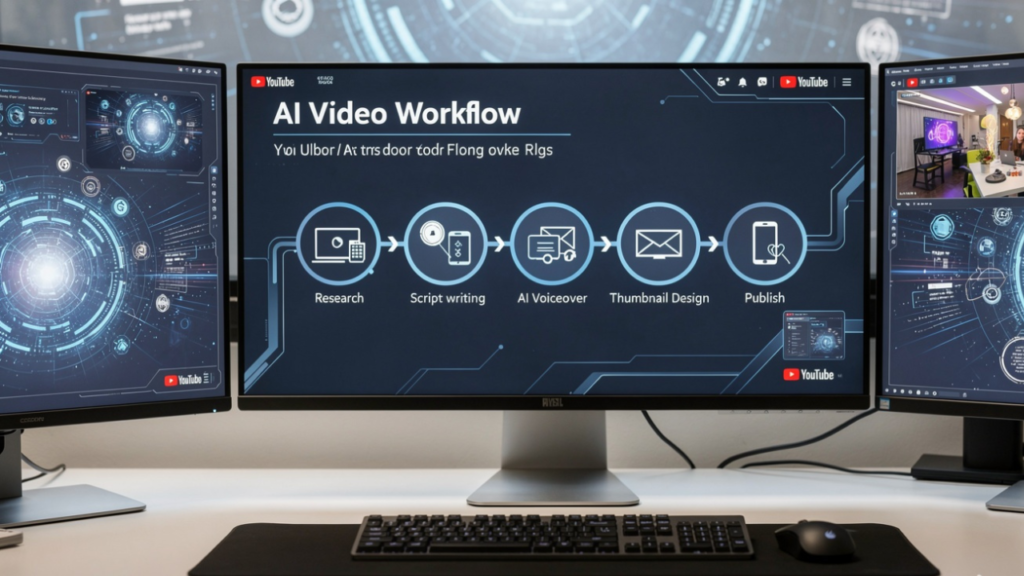
Research → Planning → Script Writing → Voice Generation → Video Editing → Thumbnail Creation → Publishing
Each step can be supported by AI while the creator remains responsible for final decisions.
Step 1: Research and Planning
Most video projects begin with research.
Many creators use AI tools to:
- Organize information
- Identify content gaps
- Generate topic ideas
- Structure research notes
Tools like ChatGPT are commonly used during this stage.
Related: Documentary creators frequently use AI research tools to organize large amounts of information before production begins.
Step 2: Script Development
After planning, creators often move into scripting.
Many use AI writing tools to:
- Build outlines
- Structure video sections
- Generate draft scripts
- Organize talking points
This helps reduce preparation time while maintaining creative control.
Related: Many creators streamline production using AI script-writing tools designed for YouTube content creation.
Step 3: Voice and Narration
Faceless channels often rely on AI-generated narration.
Popular uses include:
- Voiceovers
- Educational videos
- Documentary content
- Shorts production
Many creators use AI voice tools to maintain consistent audio quality across multiple projects.
Related: AI voice generation has become increasingly popular among faceless documentary YouTube channels.
Step 4: Video Production
Once narration is complete, creators begin assembling video assets.
Many use AI video tools to:
- Generate visuals
- Create animations
- Produce B-roll content
- Improve editing efficiency
For smaller creators, this can significantly reduce production time.
Related: Many one-person YouTube creators use AI video tools to simplify production workflows and scale content creation.
Step 5: Thumbnail Creation
Thumbnail design often plays a major role in video performance.
Many creators use AI-assisted design tools to:
- Generate concepts
- Improve layouts
- Test visual ideas
- Maintain branding consistency
Strong thumbnails help videos compete more effectively inside recommendation feeds.
Related: Documentary creators frequently use AI thumbnail tools to improve click-through rates and visual consistency.
Step 6: Publishing and Scheduling
Publishing consistently often becomes easier when creators build structured systems.
Many use AI-supported tools to:
- Schedule uploads
- Manage content calendars
- Organize future projects
- Track production progress
This reduces the stress of constantly planning content manually.
Why Systems Matter More Than Individual Tools
Many new creators spend time searching for the perfect AI tool.
Experienced creators often focus on building repeatable systems.
A strong workflow helps creators:
- Reduce decision fatigue
- Improve consistency
- Simplify production
- Scale output gradually
The workflow often becomes more valuable than any individual tool.
Related: Many creators improve long-term productivity using AI workflow systems designed to reduce burnout and improve consistency.
The Biggest Mistake Creators Make
Some creators assume AI can completely automate YouTube success.
This rarely happens.
AI can:
- Improve efficiency
- Reduce repetitive work
- Simplify planning
However, creators still provide:
- Strategy
- Creativity
- Storytelling
- Audience understanding
The most successful channels use AI as a support system rather than a replacement for expertise.
Human Creativity Still Drives Growth
Audiences rarely subscribe because a workflow was automated.
They subscribe because the content provides value.
Successful creators often combine:
- Strong research
- Effective storytelling
- Consistent publishing
- Organized workflows
- Human creativity
AI supports the process.
Creators remain responsible for the final result.
The Future of AI Video Workflows
As AI tools continue evolving, creators will likely build increasingly sophisticated production systems.
Research will become faster.
Planning will become easier.
Repetitive tasks will require less effort.
Yet the creators who continue growing will usually be the ones combining:
- Strong workflows
- Consistent publishing
- Reliable systems
- Human creativity
- Audience-focused content
AI video workflows can improve efficiency.
The creator remains the reason viewers return.

ForgeCreatorAI Team writes about AI tools, content creation, digital workflows, and productivity systems for modern creators. Our goal is to simplify AI technology and help creators work smarter through practical tools and automation.